
Running n8n community edition with Synology Container Manager
I have been toying around n8n for a couple of days and installing the community edition on my trusted Synology NAS seemed to be the best way to experiment it. However I realized there are a bunch of quirks to go through if I want it to run smoothly. Here is a quick guide on how I did it.Marius Hostinghas an excellent guide using Portainer, but I wanted to use the native DSM Container Manager.
There might have some trial and errors, I had to duplicate my container several times to get it right.
DSM Container Manager setup
If It's not installed yet, set up the package on your Synology NAS
Go to image, look for n8n latest and download it
Create a n8n folder in the /docker shared folder in DSM
n8n container configuration
This is where things get a bit complicated. Youhaveto configure some settings correctly otherwise you won't be able to use incoming webhooks or you will lose configuration each time you upload/reboot the container.
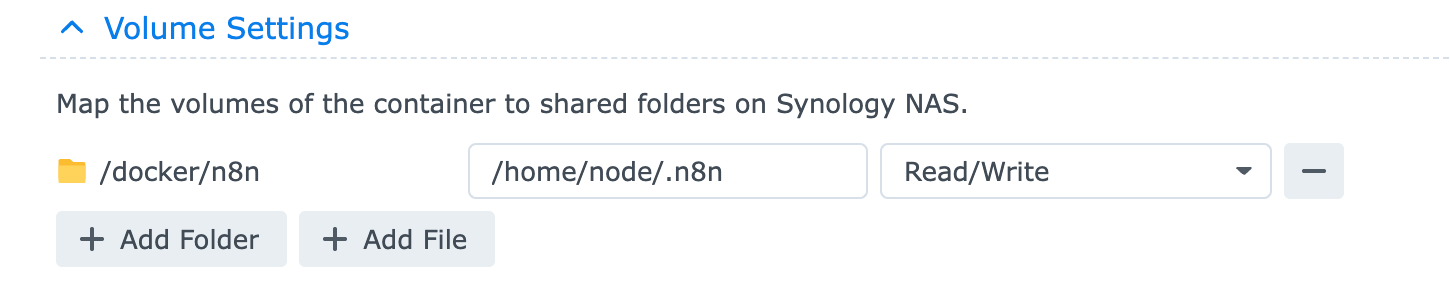
Volume: map /docker/n8n to /home/node/.n8n with read/write access
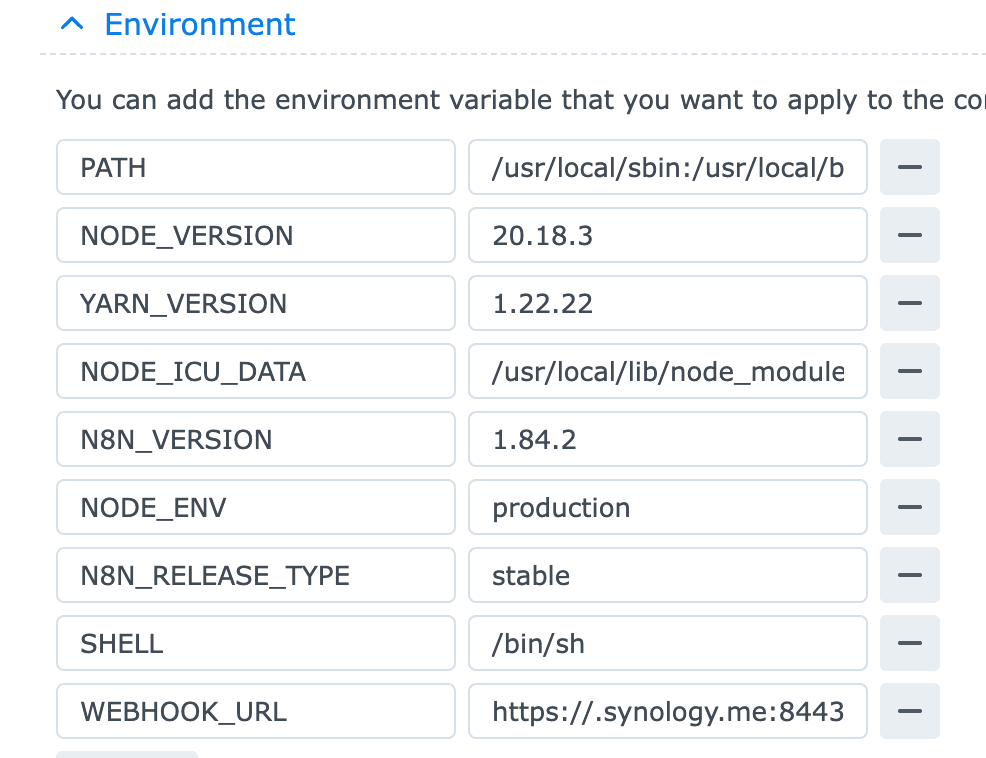
add an environment variable WEBHOOK_URL and assign it to https://{yourddns domain}.synology.me:8443/
The port number is important if you want to use Telegram webhooks
Start the container, and cross fingers. If you encounter permission issues such as EACCES: permission denied, open '/home/node/.n8n/config', you need to adjust your shared folder permissions to ensure the container user (for me it was user 1000) can read/write this folder
Web Station Configuration
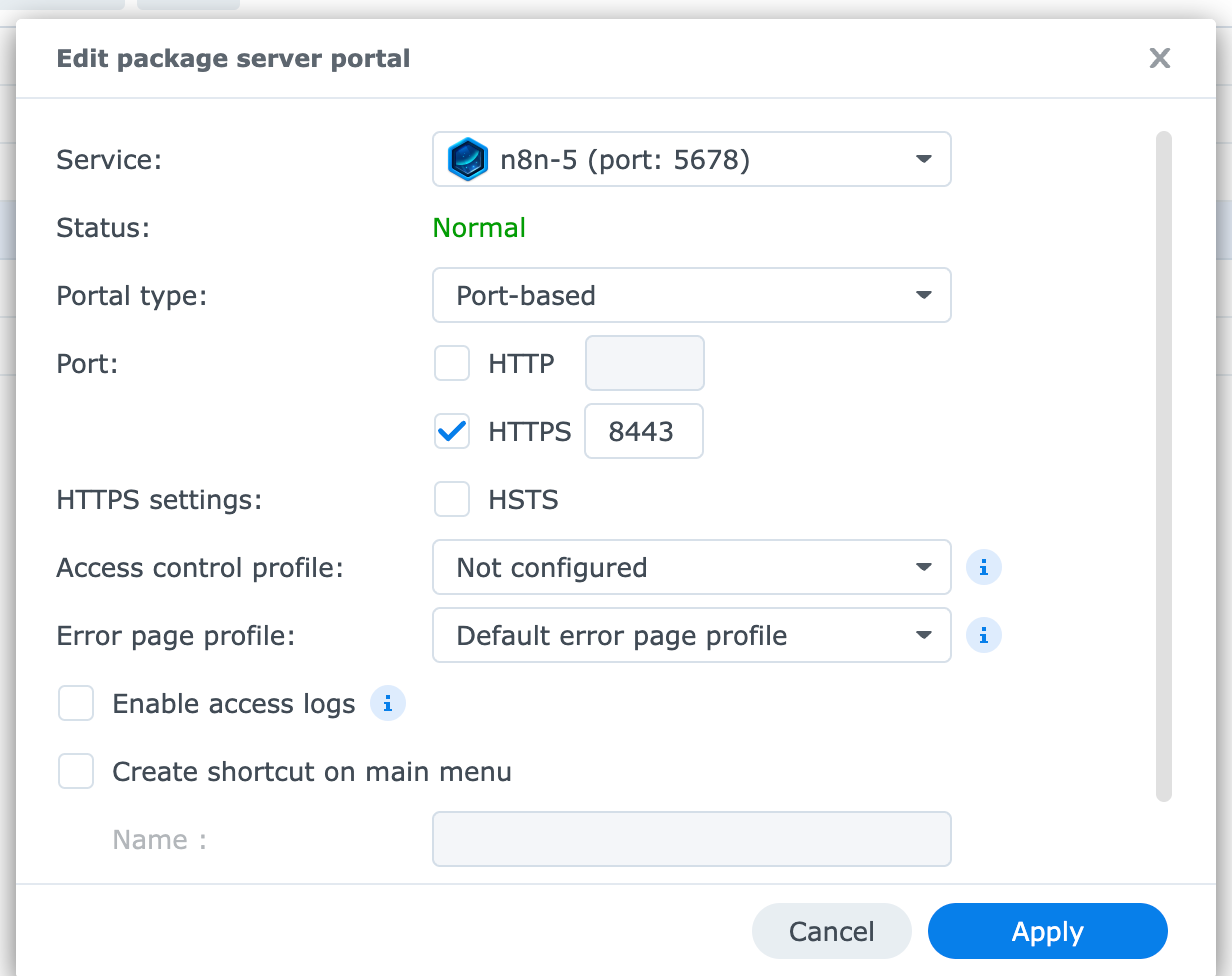
I use port-based because it's simpler
Go to Web Portal -> Create -> Pick your n8n container instance and select "Port-based", check HTTPS and use port 8443 (should be the same as configured in WEBHOOK_URL
You might also want to set up port forwarding on your router. For this it depends on the brand, just make sure to forward both UDP/TCP port 8443 to your Synology local IP
Keep Reading

Fixing the AWS Lightsail WordPress Blueprint (2GB RAM)
September 22, 2026 | How to reconfigure Apache and MariaDB on a 2vCPU/2GB Lightsail instance to prevent OOM crashes and handle actu...
Learn More
The Illusion of Mobile Productivity
April 11, 2026 | We often mistake accessibility for efficiency. This post explores why mobile devices are great for triage but ...
Learn More